Your laptop doesn’t just die without warning. It sends signals including sluggish performance, strange sounds, and unexpected shutdowns. Most people ignore them until the machine stops turning on. By then, recovering your data can be costly, and sometimes impossible.
Here are five warning signs your laptop is on its way out, and what you should do about each one.
1. It’s Running Noticeably Slower Than It Used To
A laptop that used to boot in 20 seconds but now takes two minutes isn’t just “getting old.” It could be a failing hard drive, a dying battery causing thermal throttling, or RAM that’s starting to go. Don’t write it off as normal. Bring it in for a diagnostic before the slowdown turns into a full stop.
2. The Battery Drains in Under an Hour
Laptop batteries have a lifespan measured in charge cycles, typically 300 to 500 full cycles before noticeable degradation. If your battery used to last all day and now dies in 45 minutes, it needs to be replaced. The good news is that battery replacement is one of the most affordable repairs we do. The bad news is that running a laptop constantly on AC power with a swollen or failing battery can cause real damage to the motherboard.
3. You’re Hearing Clicking, Grinding, or Whirring Sounds
A healthy laptop is mostly quiet. If yours has started making clicking or grinding noises, especially during startup or file access, that is your hard drive telling you it is failing. This is a data emergency. Stop what you are doing, back up everything you can right now, and get it looked at immediately. Hard drive failure is one of the few scenarios where waiting even a few days can mean permanent data loss.
4. It’s Overheating and Shutting Down Randomly
Unexpected shutdowns during normal use, including basic web browsing rather than heavy gaming or video rendering, are a thermal warning. Dust buildup in the cooling vents is the most common cause, and a cleaning can fix it entirely. If the problem persists after cleaning, the thermal paste on the CPU may need to be replaced, or the cooling fan itself may be failing. Left unchecked, heat damage to the motherboard is irreversible.
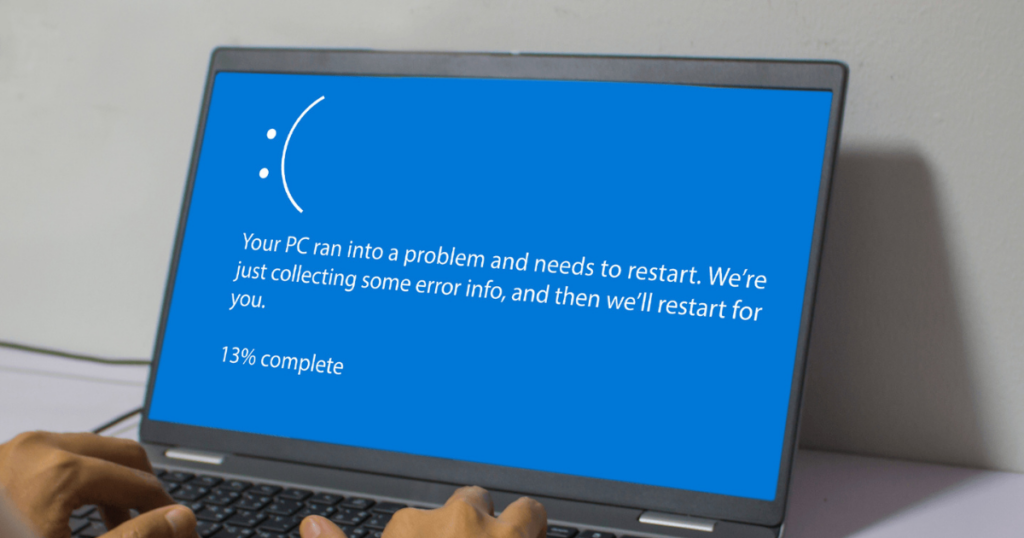
5. You’re Seeing the Blue Screen of Death More Than Once
One blue screen can be a fluke. Two or more in a short period means something is wrong, whether that is bad RAM, a corrupted operating system, a failing drive, or driver conflicts. The error code on the blue screen actually tells you a lot, but diagnosing it properly requires tools most people don’t have at home.
What to Do Next
If you are seeing any of these signs, the most important thing you can do right now is back up your data, including photos, documents, and anything else irreplaceable. An external hard drive or a cloud backup service like Google Drive or iCloud works fine.
Then bring it in. At Revive IT Service Center in Manhattan, KS, we run a full hardware diagnostic on every machine before recommending any repair. We will tell you honestly whether it is worth fixing, what it will cost, and how long it will take. Most repairs are completed same day or next day.
Walk-ins welcome at 722 N Manhattan Ave. Or schedule online if you would rather skip the wait.